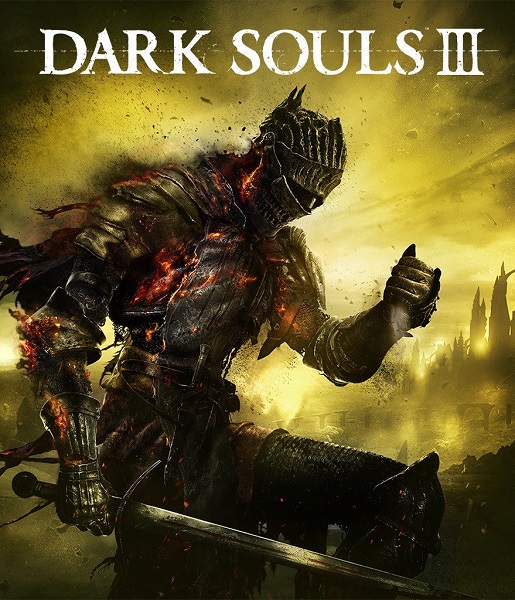

Dark Souls III EU XBOX One CD Key
10 in stock
Start with Dark Souls III for Xbox One and compare this base-game offer with Deluxe or the separate Season Pass. The offer is labelled EU. Confirm the supplied contents, account ownership, activation countries and intended console before purchase.
$30.12
10 in stock
As fires fade and the world falls into ruin, developer FROMSOFTWARE and director Hidetaka Miyazaki continue their critically-acclaimed and genre-defining series with Dark Souls III. Fans and newcomers alike will get lost in the games hallmark rewarding gameplay and immersive graphics. Now only embers remain…
Starting Dark Souls III with the EU Xbox One offer
Choose this Dark Souls III Xbox One offer by starting with the main game you want to play. The publisher presents the third entry as a dark fantasy action RPG with interconnected environments and combat that allows different approaches. Exploring its ruined world and learning how to handle its encounters are central considerations. A familiar series name alone does not tell you whether this particular game's pace and atmosphere suit you.
The offer names Dark Souls III without a Deluxe, collection or Season Pass suffix. Bandai Namco's edition comparison identifies Standard as the full game and Deluxe as the full game with the pass. Read the advertised contents rather than adding unlisted extras to that name. The edition and included-content checklist provides a practical way to separate the starting game from a package that explicitly includes additional material.
Ashes of Ariandel and The Ringed City are the two expansions to look for when comparing Dark Souls III additional content. Decide whether you want to begin with the main adventure or acquire those additions at the same time. Someone who already owns the Xbox base game should investigate missing add-ons instead of assuming another base-game code is needed to continue an existing playthrough.
Check the receiving Xbox account before selecting an offer for yourself or as a present. An installed game and the account that owns the relevant entitlement are not always the same question. Compare the exact numbered title with the library entry and any existing purchases. Keep a Steam copy, a PlayStation edition and other Dark Souls games separate when deciding what this Xbox item would add.
The console name also deserves a deliberate check when the intended machine is newer than Xbox One. Use the Xbox One and Series console guide to distinguish a game's supported play options from what an individual code actually grants. Confirm the delivered game's entitlement against the console and receiving account you will use. The presence of another platform on a publisher's website does not turn this offer into a license for that platform.
Think about solo and online use separately. The publisher describes online interactions woven into the single-player game, while Microsoft's console information distinguishes online multiplayer requirements. Check the current subscription and service conditions if connected play is important to the purchase. A game key does not by itself settle every requirement for inviting another player or using every online feature.
For the EU designation, compare the actual activation-country list and exclusions with the account that will receive the code. The EU key eligibility guide explains why the abbreviation alone does not settle a purchase for the United Kingdom or every country in Europe. Resolve any uncertain eligibility before checkout. Supported languages, a European payment currency and the fictional setting answer different questions from code activation rights.
Make the final comparison between equivalent items: the same numbered game, platform and supplied edition. A Season Pass may look cheaper because it requires the game, while Deluxe may contain more than you need. Keep the exact Xbox One offer details available through redemption so the delivered item can be checked against the purchase you intended to make.
Related products
-
-
Action, Adventure
Alien: Isolation Steam CD Key
Choose Alien: Isolation for suspense, resource decisions and survival aboard Sevastopol. Compare the individual Steam game with separately named packs, then check your account, computer, language needs and the code's actual activation-country conditions.
SKU: KG-10364