
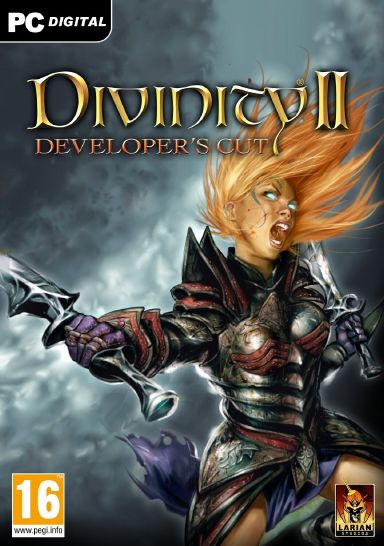

Divinity II: Developer’s Cut Steam CD Key
1 in stock
Divinity II: Developer’s Cut for Steam is a solo action RPG with human and dragon forms and an experimental Developer Mode. Check the complete product title, named package contents, activation country and current PC/client requirements before purchase.
$17.79
1 in stock
Dragons: they have been hunted, they have been slain, but now the hour to strike back has come. Break free from the confines of the human body and take to the skies in this epic RPG adventure that challenges your wits and pits you against a thousand foes. Spread your wings, burn your enemies: become the dragon! This Developer's Cut includes the ultimate edition of Divinity II, good for 100+ hours of highly acclaimed RPG gameplay, as well as the brand new Developer Mode and many more amazing extras!
Developer’s Cut, dragon play and edition checks
Divinity II: Developer’s Cut is a single-player action RPG with both human and dragon play. Its Developer Mode exposes commands for experimenting with the game, alongside the regular adventure. Compare the full title when looking at the separately named Divinity: Original Sin games or anthology packages.
Review the Steam edition and system requirements and check which contents appear in your library after redemption. Historical game specifications and current Steam client support should both be considered before installation.
For other fantasy action RPG choices, see Dragon’s Dogma: Dark Arisen with AI companions or Risen 3 Complete Edition with its guild choices and named extras.
Identify Developer’s Cut before choosing a solo RPG package
The single-player RPG purchase guide keeps the adventure you want separate from the edition and account needed to use it. Developer’s Cut names this particular Divinity II release, with human and dragon play and the separately described Developer Mode. It should not be selected as though the Divinity name alone identifies the later Original Sin games, a complete anthology or a cooperative campaign.
The RPG combat and party comparison helps decide whether an action adventure suits your routine more than deliberate tactical turns. Look at official footage of ordinary movement and interaction as well as dramatic dragon scenes. A distinctive transformation can be part of the attraction, but the full purchase decision also includes the activities you expect to repeat between story events and encounters.
Use the edition and anthology contents checklist when this title appears beside packages containing several Larian games. List the actual included names and check the library for overlap. A larger anthology and the individual game can answer different needs. Do not transfer every component in a current storefront collection onto this separately named offer or treat a menu option as a full inventory of the account’s entitlements.
Consider commitment through the kind of story you want to return to, rather than treating an advertised hour count as your own completion promise. Exploration, reading, retries and optional activities can change a playthrough. Check any essential save, pause or accessibility features for this release instead of inferring them from the single-player description. The relevant choice is an adventure whose routine you want to sustain.
Compare the official specification and current Steam client requirements with the computer you will use. Identify operating system, processor, graphics, memory and storage together; a historic minimum is not a guarantee of present launcher support or a particular frame rate. If a preferred input device matters, verify it for this actual release and setup rather than borrowing a claim from another Divinity product. The PC requirements comparison checklist keeps those component and launcher checks together for the Divinity II release and computer you actually intend to use. For Divinity II: Developer’s Cut on an older machine, the older-PC buying guide keeps the game specifications and current Steam client support in the same compatibility check.
Finish with the Steam platform, intended account and actual country and language conditions for the offer. Settle unclear package or activation wording before entering a key, and retain the full product name with the order details. A useful Developer’s Cut purchase is this identified single-player action RPG on a usable setup, with any other series game or collection assessed separately rather than assumed from shared branding. If the regional wording is unclear, the Steam activation-region comparison explains which offer details to confirm for your country before registration. For that confirmed Developer’s Cut offer, the Steam code registration checklist explains the supported code-entry process.


