
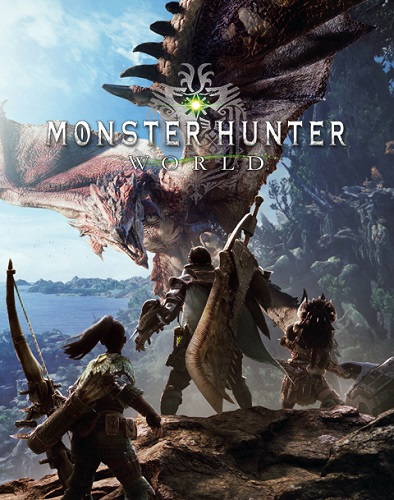

Monster Hunter: World RoW Steam CD Key
220 in stock
RoW-labelled Steam key for Monster Hunter: World. Confirm the exact activation country and your friends’ platform before buying. Capcom keeps PC and console play and save data separate, so review platform compatibility alongside the game edition.
€22.52
220 in stock
Monster Hunter: World sees players take on the role of a hunter that completes various quests to hunt and slay monsters within a lively living and breathing eco-system full of predators…. and prey. In the video you can see some of the creatures you can expect to come across within the New World, the newly discovered continent where Monster Hunter: World is set, including the Great Jagras which has the ability to swallow its prey whole and one of the Monster Hunter series favourites, Rathalos. Players are able to utilise survival tools such as the slinger and Scoutfly to aid them in their hunt. By using these skills to their advantage hunters can lure monsters into traps and even pit them against each other in an epic fierce battle. Can our hunter successfully survive the fight and slay the Anjanath? He’ll need to select his weapon choice carefully from 14 different weapon classes and think strategically about how to take the giant foe down. Don’t forget to pack the camouflaging ghillie suit!
RoW redemption, PC co-op and save checks
RoW identifies this Steam offer’s regional variant. Check the exact activation country independently of the game’s multiplayer-region rules before purchasing. The explanation of what a RoW Steam label means shows why that label still needs an offer-specific country check.
Capcom states that Monster Hunter: World has no cross-play between PC, Xbox One and PlayStation 4, and that saves cannot be transferred between those platforms. Review the official cross-play and save guidance when planning to join friends or move from a console.
Compare our standard World Steam offer and US-labelled Steam offer to choose the key that fits your country and account. Check separately named expansion contents in your library.
Check your hunting group and the exact RoW Steam entitlement
For a cooperative purchase, start by identifying the game each person already owns. World is a specific release in the Monster Hunter series, and Capcom’s support guidance says its PC, Xbox One and PlayStation 4 versions do not share cross-play or transferable saves. A friend playing a later Monster Hunter title is another separate comparison. Agree the exact World platform and intended activities before choosing a code for a group session. Familiar monsters or similar artwork do not establish that two libraries can join the same game.
This is a Steam-labelled offer. The PC storefront and library comparison helps organise launcher and existing-ownership questions before you compare a second license. Keep the RoW label alongside the merchant’s actual activation-country conditions; the abbreviation alone is not a complete eligibility list. Compare the account you will redeem into with those conditions, rather than applying the rules from the US listing or another store’s copy of the same game. After confirming this variant’s country terms, use the Steam key activation walkthrough with the intended library.
The edition and included-content guide helps distinguish World from a combined package that also contains Iceborne. When planning hunts with expansion owners, establish whether you intend to play base-game activities or expansion content. The group’s shopping list depends on that choice. For your own machine, the controller and PC setup checklist helps compare the intended input devices with the actual Steam title. Choose the game entitlement, group platform and control arrangement together so the purchase matches the way you intend to hunt. Use the PC setup requirements checklist to compare the whole computer with the current game and Steam client specifications before planning the intended hunts around that setup.


